RV2U Technician App
Install the app, sign in with the login the office gave you, and start taking jobs.
Get the app
Pick your phone. You only need one of these.
iPhone
Private RV2U app — not in the public App Store.
Coming soon Use the web app instead →Android
Install the file directly. No Play Store needed.
- Tap Download — Chrome will warn you about files from outside the Play Store. That is expected.
- Tap Download anyway, then open the file.
- Allow your browser to install apps if Android asks, then tap Install.
Any phone — web app
Nothing to install. Works on iPhone and Android.
On iPhone
- Open the link below in Safari.
- Tap the Share button (square with an arrow).
- Tap Add to Home Screen, then Add.
- Open it from the new icon — not from Safari — or notifications will not arrive.
On Android
- Open the link below in Chrome.
- Tap the ⋮ (three dots), top right.
- Tap Install and create shortcut.
- Tap Install, then Install app.
- Tap Add to Home screen. Open it from the new icon.
Fastest way to get someone working today — no store, no codes.
What it looks like
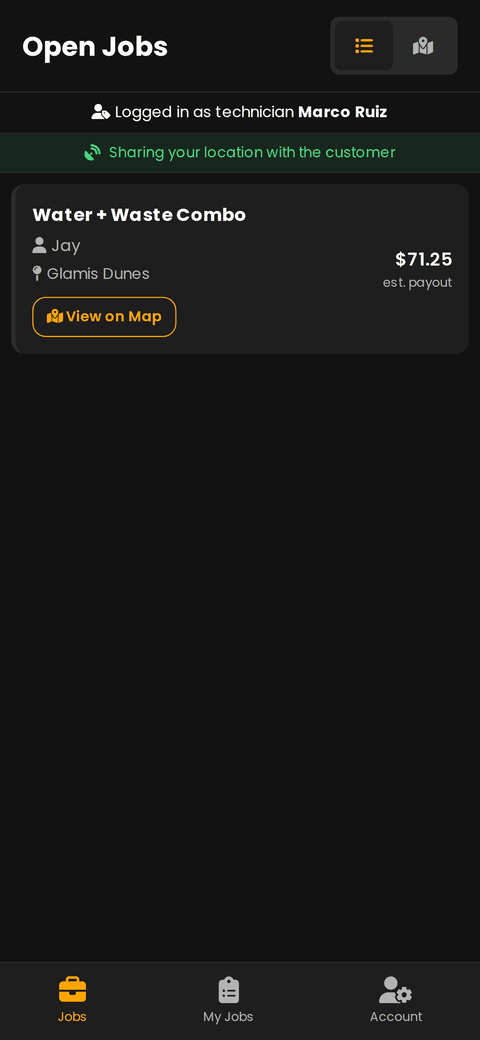
Jobs — everything open near you
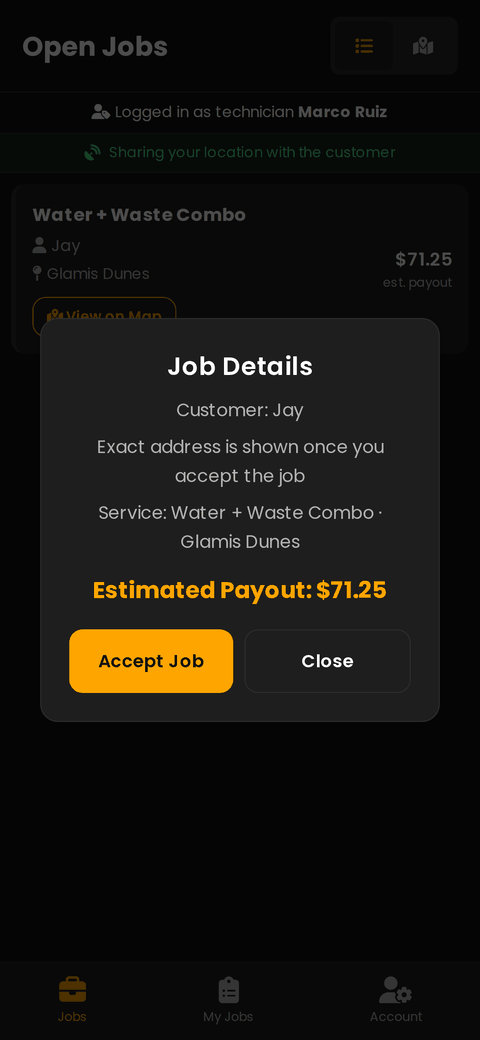
Tap a job to see the site, photos and pay
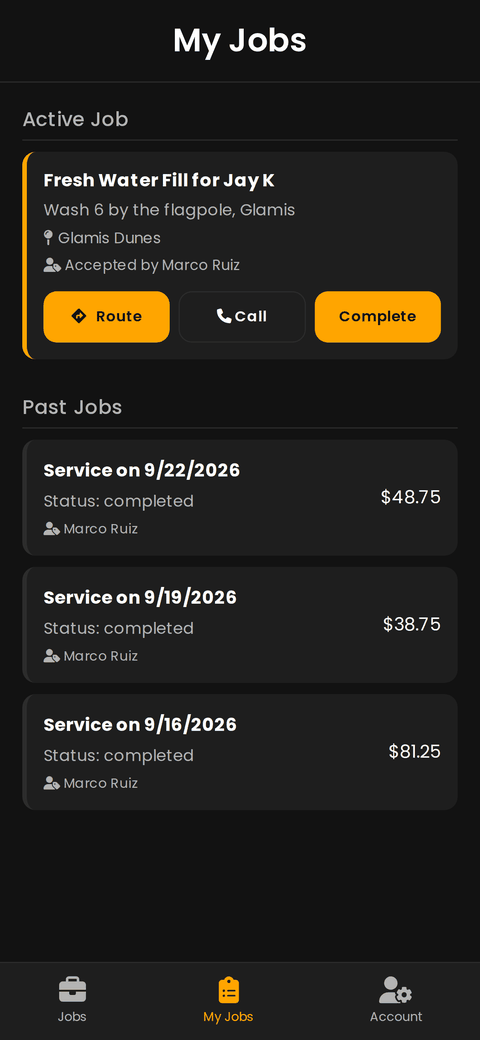
My Jobs — route, call, complete
How to use it
From signing in to getting paid.
Sign in
Use the email and password the office gave you. There is no sign-up button — accounts are created by RV2U. Forgot it? Tap Forgot password on the sign-in screen.
Find a job
The Jobs tab lists every open job. Tap one to see the exact site, the customer's photos of the hookup, and what the job pays.
Accept it
Tap Accept Job and confirm your name. The job is now yours and disappears from everyone else's list.
Company owner logins cannot accept jobs — sign in with your own technician login, not the company account.
Drive out
Open My Jobs and tap Route for turn-by-turn directions. Call rings the customer if you cannot find the rig.
Finish the job
Tap Complete when the service is done. The customer is notified right away and can rate and tip you.
Get paid
The Account tab shows what you have earned and your payout history. Keep your login details and truck photo up to date there.
If something goes wrong
The four things that actually come up.
Android says the file is harmful or blocked
That warning is normal for an app that is not from the Play Store. Tap Download anyway, then allow your browser to install unknown apps when Android asks.
The app will not install — "App not installed"
An older RV2U technician app is already on the phone from a different build. Uninstall the old one, then install this file again.
No notifications
On iPhone the app must be on your Home Screen (not just a Safari tab) and you must tap Allow when it asks. Then check Settings › Notifications › RV2U. iPhones need iOS 16.4 or newer.
It says my login is not active
Your account has been switched off. Call the office — it takes one click to turn back on.
Still stuck? We would rather hear from you than have you sit in the sand.